One total balance
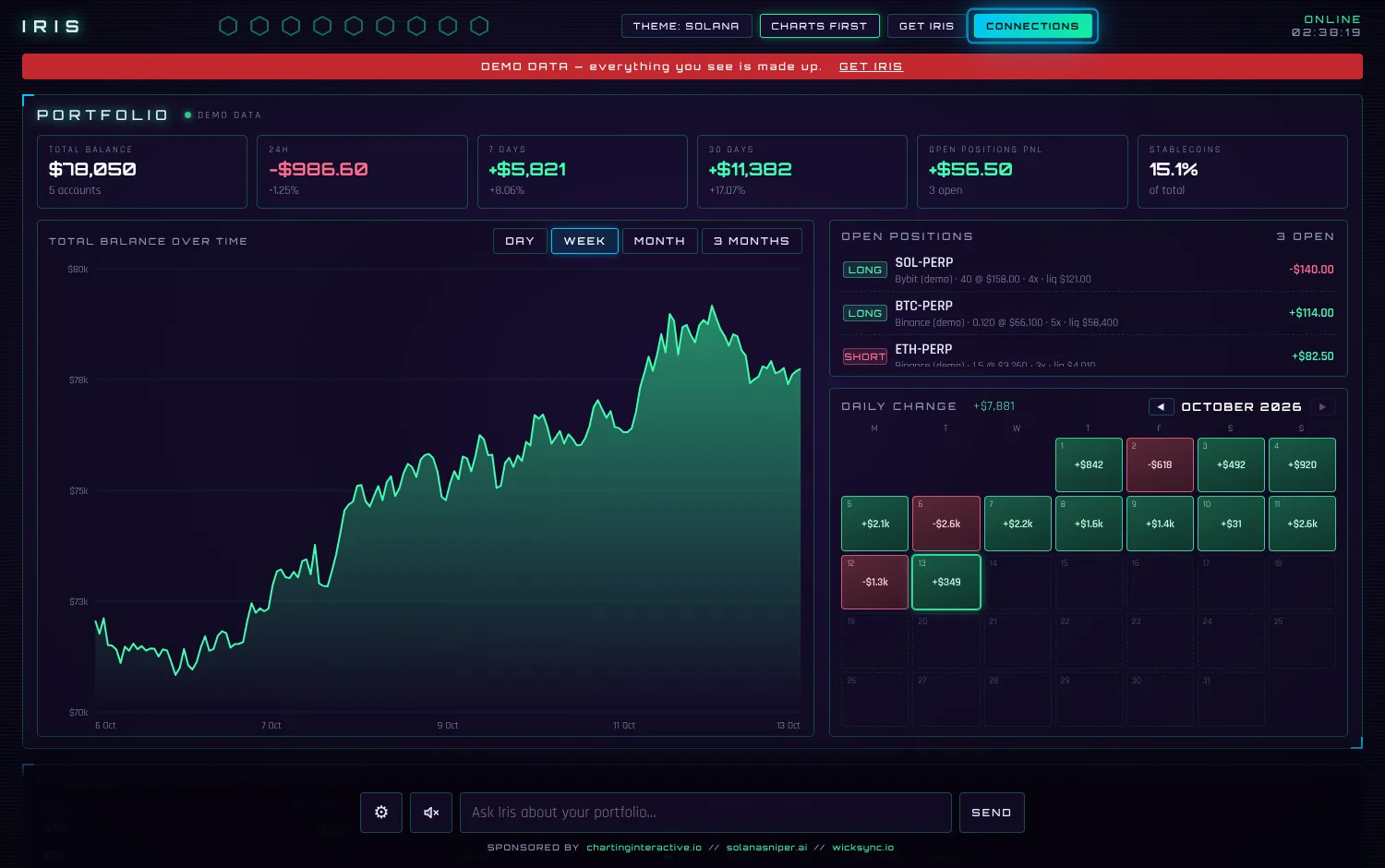
Your exchanges and wallets (Kraken free; Binance, Bybit, OKX, MEXC and more with Pro), summed up, with 24h, 7-day and 30-day PnL.
Free to download · Pro from $9.99/month · read-only
One screen for your exchanges, wallets, stocks and social accounts. Charts, open positions, market news, and an AI agent assistant that talks to you. It runs only on your own computer, so your exchange keys never go to a company's server.
Windows 10 or 11 (64-bit): one installer, no Python needed. Mac & Linux: a zip file (needs the free Python).

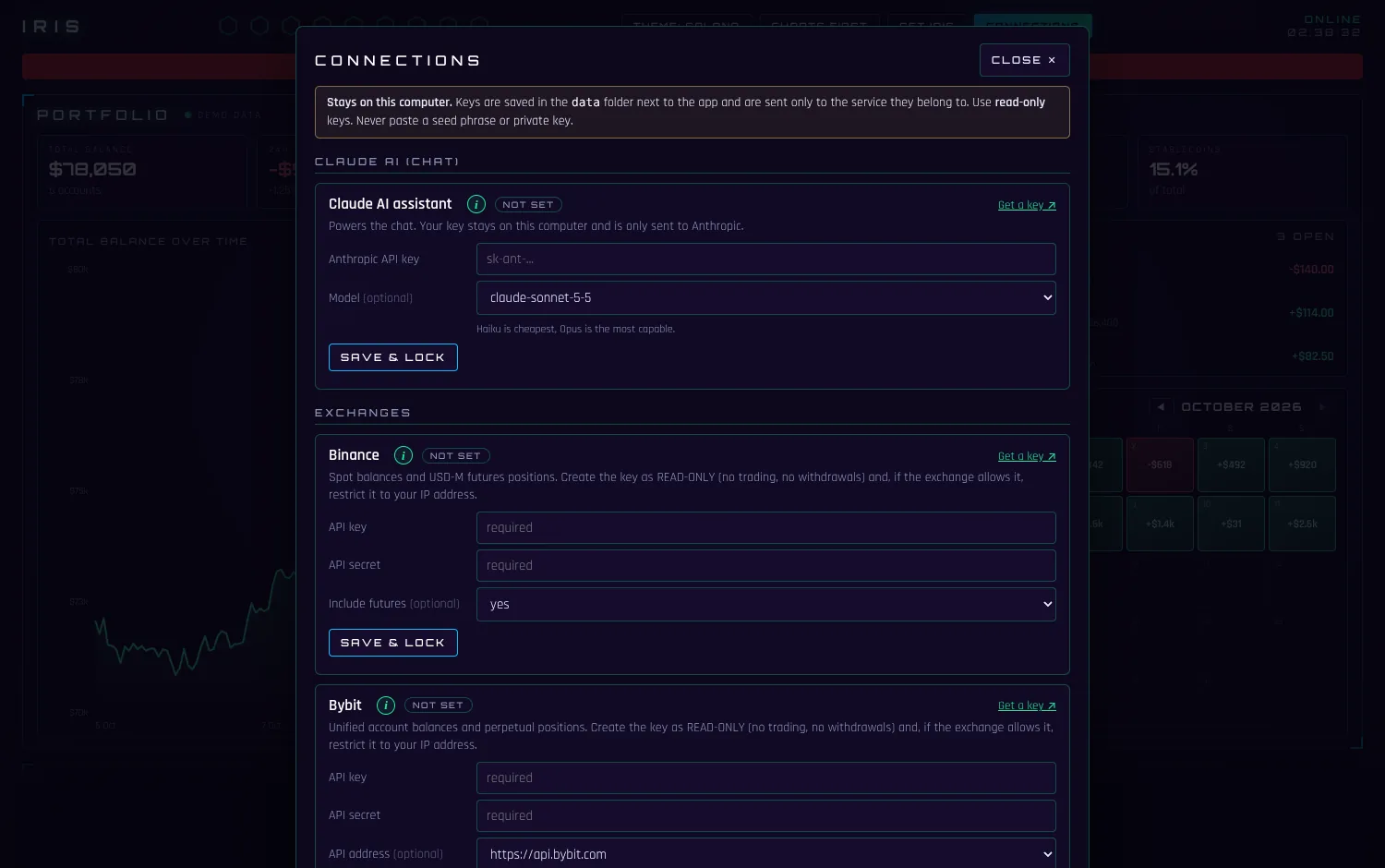
This is the real Iris screen, running on made-up numbers. Click around: change the theme, open Connections, tap the question bubbles at the bottom (they rotate and answer from the demo numbers), and click anywhere to hear Iris talk. Stay a minute or two and she will speak up about changes on her own.
Nothing you type into the demo is saved or sent anywhere. The real app also lets you connect your own accounts; the demo can't.
Add only what you use. Each part fills in as soon as it has data. Items marked Pro need Iris Pro.
Your exchanges and wallets (Kraken free; Binance, Bybit, OKX, MEXC and more with Pro), summed up, with 24h, 7-day and 30-day PnL.
Balance over time, an allocation donut, a daily-change calendar and live market sparklines for the coins you hold.
Every exchange in one list: side, size, entry, leverage, liquidation price and live PnL.
A spoken briefing at start-up, then it keeps talking as your data changes: positions opened, closed or passing +/-25%, big balance or coin moves, liquidation risk, follower milestones, market mood. After about five quiet minutes it adds a short observation about a different part of the app.
Question bubbles rotate across every section and follow what just changed. Tap one, or type your own: “How did I do this week?” Free: Claude Haiku 5.5 with your own key. Iris Pro: the advanced Claude Sonnet 5.5 is included, no key needed. Without either, Iris answers data questions itself from the numbers on screen.
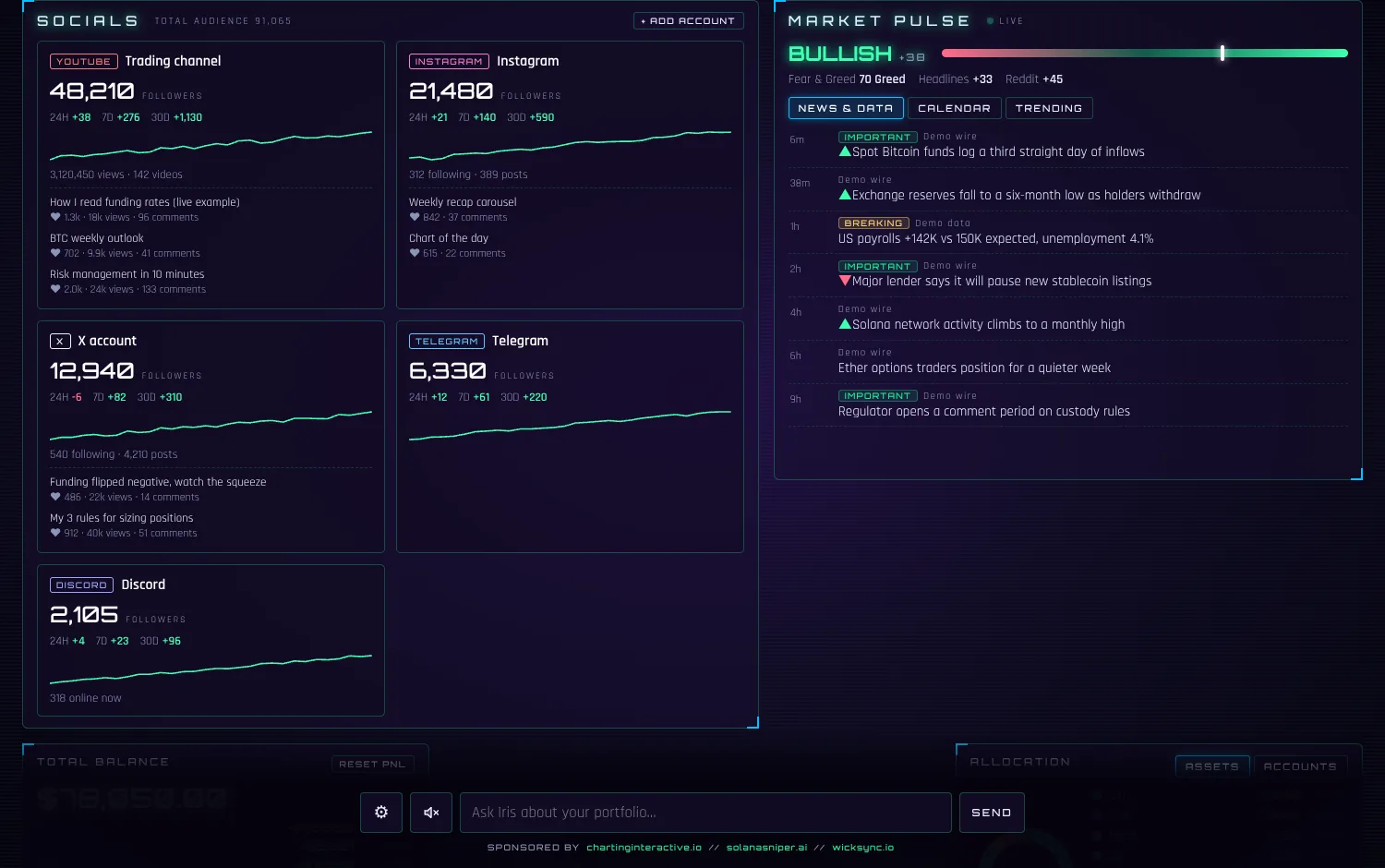
Fed, jobs and inflation releases, SEC and crypto news the moment they land, the economic calendar, Fear & Greed and a mood score. Free public sources, no key needed.
Type what you hold (shares, ETFs, gold, oil …) and it joins your total next to your crypto. Prices from Yahoo Finance, often delayed about 15 minutes. No key needed.
Ask the AI for the best yields, the biggest protocols and chains, from DefiLlama. Market-wide data, not your own DeFi positions.
Followers, growth and recent post stats for YouTube, Instagram, X, Telegram and Discord, next to your money. Pro
Solana is the default. Switch to Cyan, Matrix, Tokyo Night, Ultraviolet, Synthwave, Bitcoin, Red Team or Carbon in one click.
On Windows. Mac or Linux? See the box below the steps.
Press the Download button. You get one file, Iris-Setup.exe. Nothing else to install.
Double-click the file. It installs for your user only (no administrator rights) and opens Iris in its own window. Later, start it from the Start menu.
Windows may warn: “Windows protected your PC”. That is normal for any program that is not signed with a paid certificate. Click More info, then Run anyway. The code is all open on GitHub if you want to check it first.
Press Try demo data to explore, or Connections to add your own read-only keys. Your keys and history are saved on your computer, in a folder that updates never touch.
bash start.sh. The first start installs a few things (about a minute), then your browser opens the dashboard.The free app is small on purpose and stays free. Iris Pro unlocks everything else.
$0 forever
$9.99 per month
or $89.99 per year (about $7.50 a month)
Pay by card. Cancel any time. Your license key arrives by email and goes into Iris under Connections.
Some newer connectors are marked beta while they are tested. Prices are in US dollars; local tax is added at checkout where it applies.
Iris has no company server in the middle of your exchanges. The one optional exception is the Pro AI, described below. Here is exactly how it handles your data, including the honest limits.
127.0.0.1 only, refuses requests from other websites and, in the Windows app, only answers its own window. Your keys go only to the service they belong to (your exchange, Anthropic, Google…).data folder, encrypted to your Windows account (on macOS and Linux, in a file only your user can read). Once saved, a key can't be changed or shown until you unlock it. Don't share or sync that folder.The free version is, and it stays free: one exchange (Kraken), wallets, stocks & commodities and the AI chat with your own Claude key (Anthropic bills that to your own account; short questions cost a fraction of a cent). Iris Pro is the paid upgrade: $9.99 a month or $89.99 a year, see Free & Pro. There is also a small optional donation link inside the app.
Every connection unlocked (Binance, Bybit, OKX, MEXC, Bitget, KuCoin, Gate.io, Alpaca, Trading 212, Coinbase and social accounts), no limit on accounts, DeFi data, early access plus the Inner Circle, and an advanced AI (Claude Sonnet 5.5) included, so you need no Claude key. The AI has a fair monthly allowance. Your own Claude key, if you add one, is always used first.
You buy a monthly or yearly subscription by card through Stripe. Your license key is shown right after payment and also sent by email; paste it into Iris under Connections. Cancel any time from the link in your receipt or key email; the key stops working when the subscription ends and Iris goes back to the free plan. Nothing you saved is deleted.
No. It only reads. Create exchange keys with read-only permission (the (i) button in the app shows how) and, where your exchange allows it, restrict them to your IP address.
Nowhere except where it already lives. Iris asks your exchange for your balance directly from your computer, and fetches public prices and news from free public sources without sending them any of your keys. If you use the AI chat with your own key, your question and the numbers needed to answer it go to Anthropic under their normal terms; with the Pro AI they pass through the Iris Pro server on the way (it keeps only a usage count). (If you join the optional Telegram inner circle, your Telegram name and the payment reference go to its small payment checker, and nothing else.)
Free: Kraken. With Pro: Binance, Bybit, OKX, MEXC, Bitget, KuCoin, Gate.io, Alpaca (US stocks), Trading 212 and Coinbase (the newest connectors are in beta). Stocks and commodities you type in yourself. Wallets on Solana, Ethereum (plus Base, Arbitrum, Optimism, Polygon and BNB Chain), Bitcoin and Hyperliquid (beta). Socials (Pro): YouTube, Instagram, X, Telegram and Discord.
Windows shows that box for every program that is new or not signed with a paid certificate. It does not mean it found anything wrong. Iris is open source, so you can read everything it does on GitHub. To continue, click More info, then Run anyway. To skip the box, right-click the downloaded file, choose Properties, tick Unblock and press OK before you run it.
On Windows, no. The installer already contains everything. You double-click it, like any other program. Only the Mac and Linux version needs Python (a free program you install once). Here is how.
Windows: Iris doesn't update itself yet. When there is a new version, the Download button on this page always gives you the newest installer. Run it and it replaces the old program. You don't copy anything: your keys, accounts and history live in their own folder (%APPDATA%\Iris), not next to the program, so they stay exactly as they were.
Mac / Linux: download the newest zip and unzip it into a new folder. Copy the folder named data from your old Iris folder into the new one, then start Iris from the new folder as before. The first start takes about a minute again, and then you can delete the old folder.
Windows (installer): Windows 10 or 11, 64-bit, and an internet connection for live prices and your accounts. Python is already inside the installer, so there is nothing else to install. Mac / Linux: there is no installer for these yet, only the zip, and that one needs the free Python 3.10 or newer. Iris doesn't run on phones or tablets, but you can try the demo on one.
On Windows your keys (encrypted), wallet addresses and history are in %APPDATA%\Iris. To uninstall, open Settings → Apps, find Iris and remove it. Your data stays, so a later reinstall picks up where you left off; delete the Iris folder in %APPDATA% if you want it gone too. On Mac and Linux everything is in the data folder inside the Iris folder.
No. Iris shows you your own numbers, blockchain data and public market information. It doesn't tell you what to buy or sell.

Windows: one installer, double-click, done. Mac & Linux: a zip file.
Always the latest version · all releases · Mac or Linux? Download the zip